![UBCO-Logo_W-2.png]](https://support.ubcobikes.com/hs-fs/hubfs/UBCO-Logo_W-2.png?height=40&name=UBCO-Logo_W-2.png)
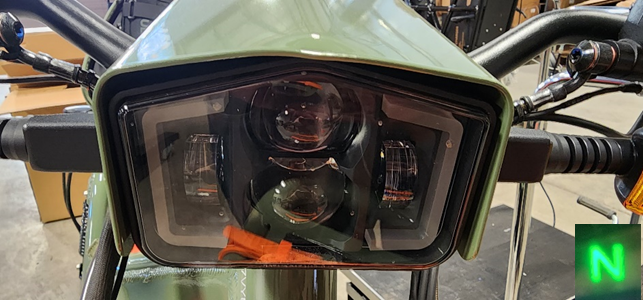
This is what your headlight will look like when the bike is:
- OFF
- when the bike is ON and in Neutral (see green N on dash)
- when in Stealth mode in the UBCO App
*Stealth mode will also turn out
-
- the headlight/taillight
- the turn indicators
- and the Dash
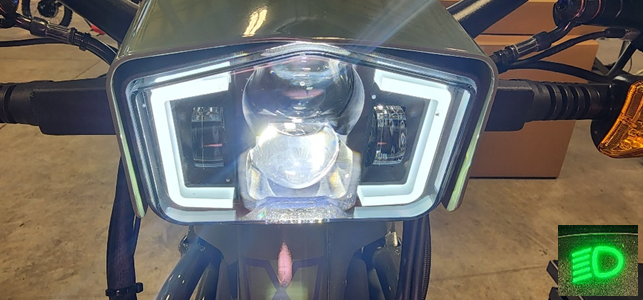
This is what your headlight will look like when the bike is:
- ON and in RUN Mode
- you will see a green headlight indicator on your dash (when not in Stealth mode)
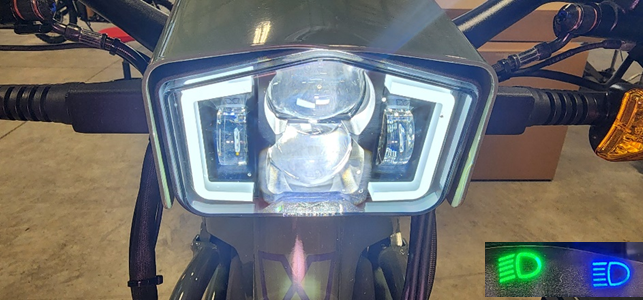
This is the headlight with the high beam active.
- To activate the headlight high beam, simply push the high beam indicator on the left-hand controls.
- you will see a green and blue headlight indicator on your dash
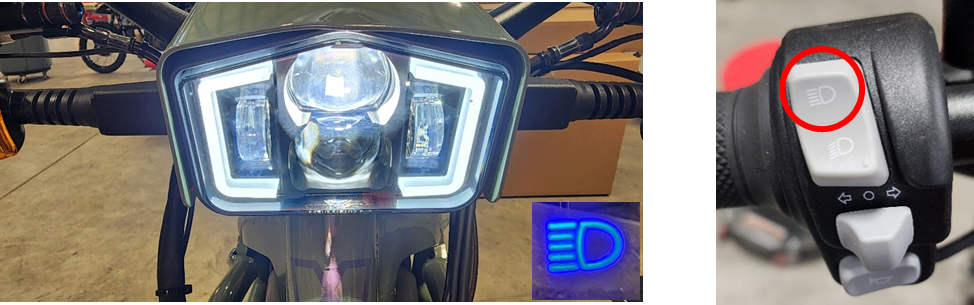
Headlight OFF and Running Lights ON
- When you want to turn out the main headlight but keep the running lights side bars on
- turn ON your bike
- then when in RUN and press the low beam switch on the left-hand controls for 2 seconds.
- no dash indicator will be visible in this mode
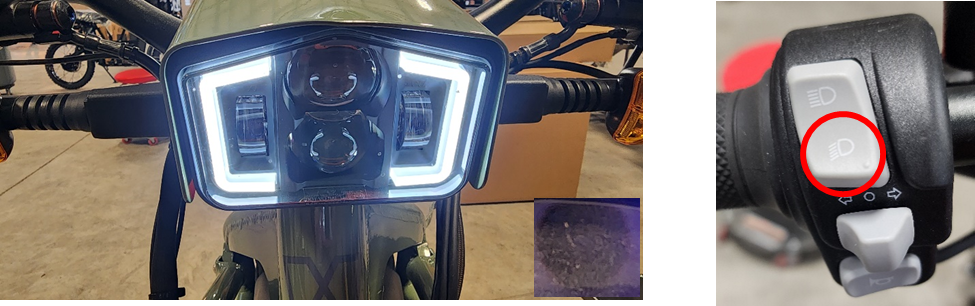
High Beam ON and Running Lights ON
- You may also elect to activate the high beam while in this “running lights only” mode.
- Simply hit the high beam switch and it will activate the high beam
- see the blue indicator only on the dash